Music Mastering Online for Spotify, Apple Music & YouTube.
- Streaming loudness targets
- True peak ≤ −1.0 dBTP
- Matched-loudness A/B
Example result
In short
Music mastering is the final step that makes a mix sound balanced and play at the right level everywhere. For streaming, aim near −14 LUFS (Spotify, YouTube, Tidal, Amazon) or −16 LUFS (Apple Music) with true peak at or below −1 dBTP. Hear three masters at matched loudness first; downloading the WAVs costs 10 credits (about $1.50 or less).
How it works
How music mastering for streaming works
- 1
Choose the platform target
Streaming (−14 LUFS) covers Spotify, YouTube, Tidal and Amazon; Apple (−16) suits Apple Music. The ceiling is always −1.0 dBTP.
- 2
Drop your final mix
Use the 24-bit WAV you would send to an engineer. It is mastered in your browser, not uploaded, and you hear every version before paying.
- 3
Verify, then release
Check LUFS and true peak in the report, A/B the versions, and download the WAVs for 10 credits.
What music mastering does
Music mastering is the final stage of production, between the mix and the release. A mastering engineer — or mastering software — takes the finished stereo mix and makes it sound balanced on every system, sit at a sensible loudness next to other records and play without clipping. Call it audio mastering or song mastering; the job is the same.
Mastering a song comes down to a handful of small moves: EQ evens out the balance, gentle compression glues the mix, stereo processing keeps the low end mono, a limiter raises the level to a loudness target, and a true-peak check makes sure nothing distorts once the file is encoded. Delivery is usually a 24-bit WAV plus a dithered 16-bit copy; ISRCs are normally handled by your distributor.
Music mastering is not mixing: mixing balances the individual tracks, mastering works on the stereo result. Read mastering vs mixing, or see how AI mastering automates all of the above.
Music mastering targets by streaming platform
The levels the big services normalize to — reference points for choosing a target, not numbers to hit to the decimal.
| Platform | Plays at about | True-peak ceiling | Target to pick here |
|---|---|---|---|
| Spotify | −14 LUFS (Spotify docs); listeners can also choose Loud −11 or Quiet −19 | Below −1 dBTP; below −2 dBTP if the master is louder than −14 LUFS | Streaming (−14) |
| Apple Music | ≈ −16 LUFS with Sound Check (widely reported; no official figure) | −1 dBTP | Apple (−16) |
| YouTube | ≈ −14 LUFS (widely reported); louder uploads are turned down | −1 dBTP | Streaming (−14) |
| Tidal | ≈ −14 LUFS (widely reported) | −1 dBTP | Streaming (−14) |
| Amazon Music | ≈ −14 LUFS (widely reported) | −2 dBTP is the safer choice | Streaming (−14) |
| DJ sets, clubs, beat stores, downloads | Often not normalized at all | −1 dBTP | Loud (−11) or Club (−9) |
Checked Nov 2026 · platform specs change, so check each platform's current docs. More in −14 LUFS explained.
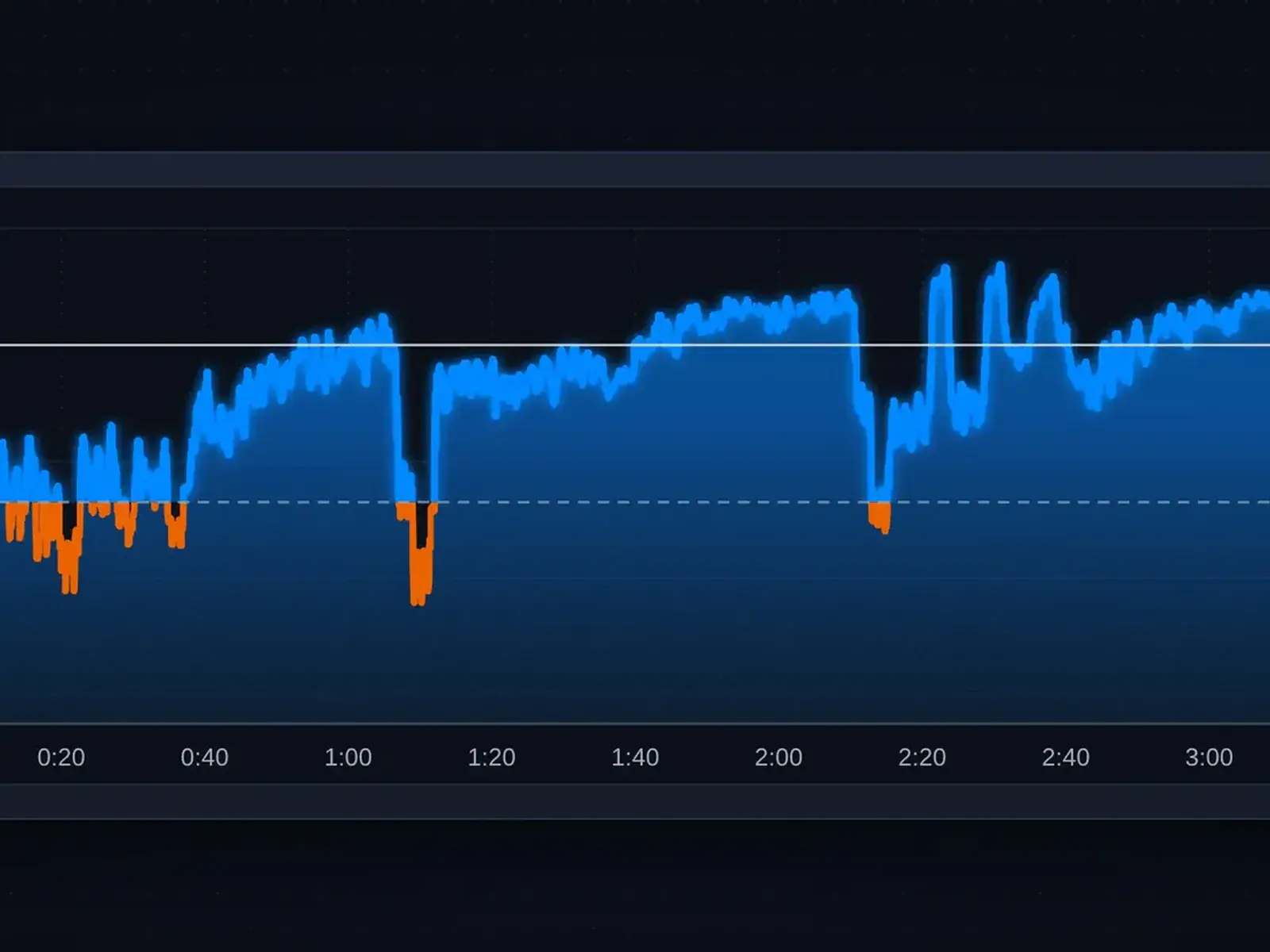
What loudness normalization does to your master
Streaming services measure the integrated loudness of your whole song and turn it up or down so every track plays at roughly the same level. It is a plain volume change: a master at −8 LUFS on Spotify is turned down about 6 dB, while a master at −14 plays as it is.
So a heavily limited master does not play louder after normalization — it plays at the same level with flatter drums. That is why music mastering for streaming compares versions at matched loudness, and why every song on a release should share one target. More in our guide to mastering for Spotify.
Why true peak matters in mastering for streaming
When mastering audio for streaming, sample peaks are not enough: lossy encoding can push the waveform between samples above 0 dBFS and distort. That hidden level is the true peak, measured in dBTP.
Every master here goes through a lookahead limiter, then a true-peak check confirms the output sits at or below −1.0 dBTP. Spotify suggests −2 dBTP for masters louder than −14 LUFS, so keep that in mind with the Loud or Club target. The LUFS meter checks true peak on any file with 4× oversampling for 1 credit per song.
Choosing a loudness target for music mastering
All four targets work on every song. Pick by where most of your listeners will hear it.
Streaming · −14 LUFS
The default. It matches Spotify and the widely reported YouTube, Tidal and Amazon levels.
Apple · −16 LUFS
For releases aimed at Apple Music, or dynamic styles — acoustic, jazz, orchestral — that need room for transients.
Loud · −11 LUFS
Denser and more forward. Common for pop, hip-hop and rock. Expect a little more limiting.
Club · −9 LUFS
For DJ sets and previews that are not normalized. If the report warns about limiting, step down a target.
Online music mastering vs a mastering studio
Search for music mastering and you will see local studios next to online tools — both real options, for different songs.
| Online music mastering (here) | Online human engineer | Mastering studio near you | |
|---|---|---|---|
| Price | 10 credits per song | Commonly $30–150 per song | Per song or per hour |
| Turnaround | Minutes | Commonly a few days | Booked in advance |
| Hear it before paying | Yes — full song, three versions | Varies by engineer | You hear it in the room |
| Best for | Singles, beats, demos, streaming releases | Important releases on a budget | Albums, vinyl, artists who want to be present |
Human and studio figures are typical market ranges, not quotes. Unsure? Master the single here and compare it with an engineer’s test master at matched loudness.
Music mastering checklist before release
Run through this before you upload to your distributor:
- Integrated loudness is close to your target — the report shows it for each version.
- True peak reads −1.0 dBTP or lower (−2 dBTP if the master is louder than −14 LUFS and Spotify matters to you).
- No clipped samples, a clean start and an intact fade-out or reverb tail.
- You compared the chosen version with your original and a released reference at matched loudness.
- Every song on the EP or album uses the same loudness target.
Test your master where people actually listen
Most streams happen on earbuds, phone speakers and car stereos. Play your favorite version on two of them; if the vocal is clear and the bass still felt on a phone, the music mastering is done.
Only need a different level? The Audio Normalizer sets a file to −14 or −16 LUFS for 1 credit. Song made in Suno or Udio? AI song mastering uses a preset tuned for generated audio.
Check your loudness before you upload.
Drop any master into the LUFS meter for integrated LUFS, true peak, LRA and each platform’s turn-down — 1 credit per song.
Keep going
Related tools
What is music mastering?
Music mastering is the final step before release: EQ, light compression, stereo control and limiting applied to the finished stereo mix so it sounds balanced everywhere and plays at the right loudness. It cannot rebalance a mix — that is mixing.
What LUFS should I master to for Spotify?
About −14 LUFS, where Spotify normalizes. You can master louder for style, but Spotify will turn it down, and it suggests a true peak below −2 dBTP for masters above −14 LUFS.
Do I need a different master for each platform?
Usually not. For music mastering aimed at several services, one master at −14 LUFS with true peak under −1 dBTP works everywhere; platforms that play quieter (Apple Music is widely reported at about −16) simply turn it down a little.
Is AI music mastering good enough for streaming releases?
For a balanced mix, yes. Mastering music for streaming is mostly tone balance, a controlled low end and a safe loudness target — work AI does consistently. For vinyl or a mix with clear problems, a human engineer is still the better choice.
How many credits does music mastering cost?
Listening and the report cost nothing. Downloading all three versions of a song as WAV costs 10 credits — about $1.50 or less. Re-masters of that song are free for 30 days; see the pricing page.
Music mastering for the platforms your fans use.
Pick a target, hear three versions at matched loudness, release with the numbers in hand.
Drop a file to start
WAV, FLAC or MP3 · up to 200 MB · 10 min